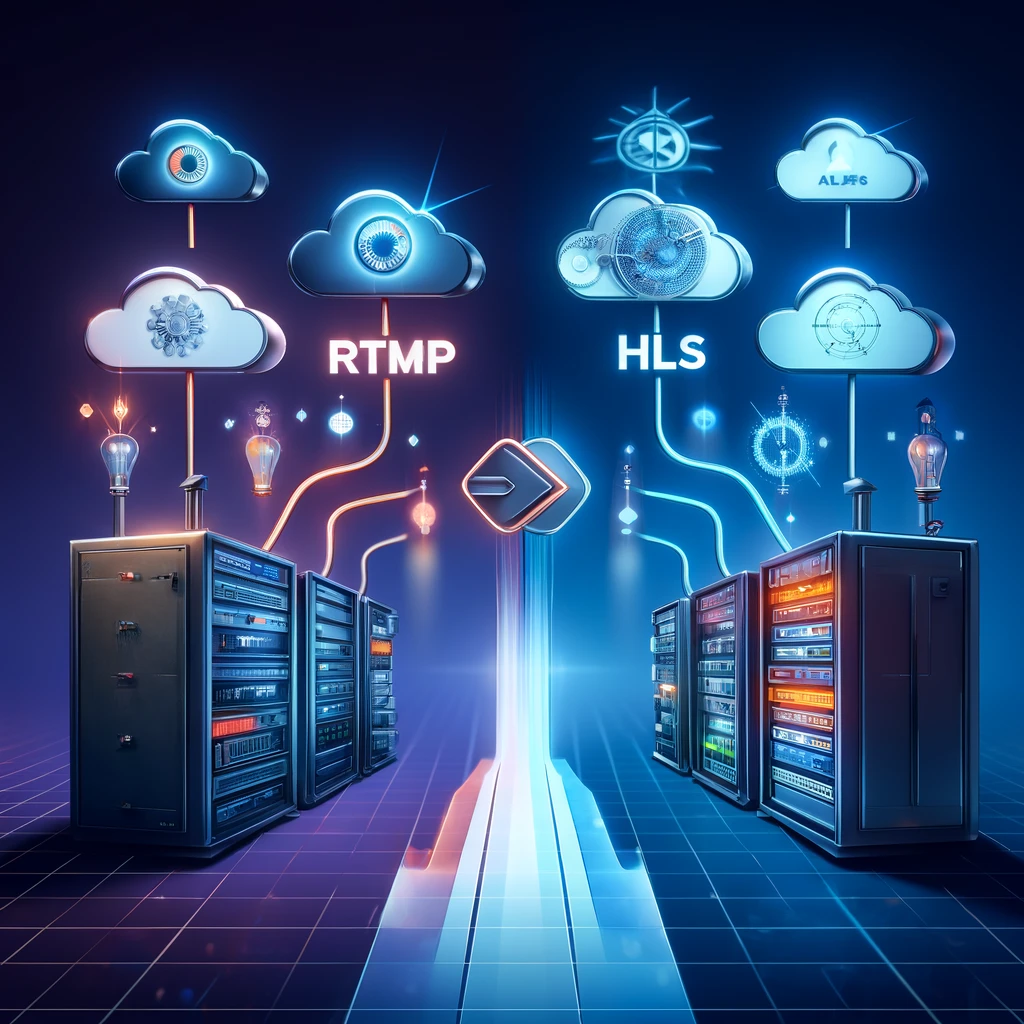
In the dynamic world of digital broadcasting, the transition from Real-Time Messaging Protocol (RTMP) to HTTP Live Streaming (HLS) represents a significant evolution in how content is delivered to audiences. This article delves into the process and technology behind RTMP to HLS live streaming, exploring its benefits, challenges, and practical applications in modern media environments.
Understanding RTMP and HLS
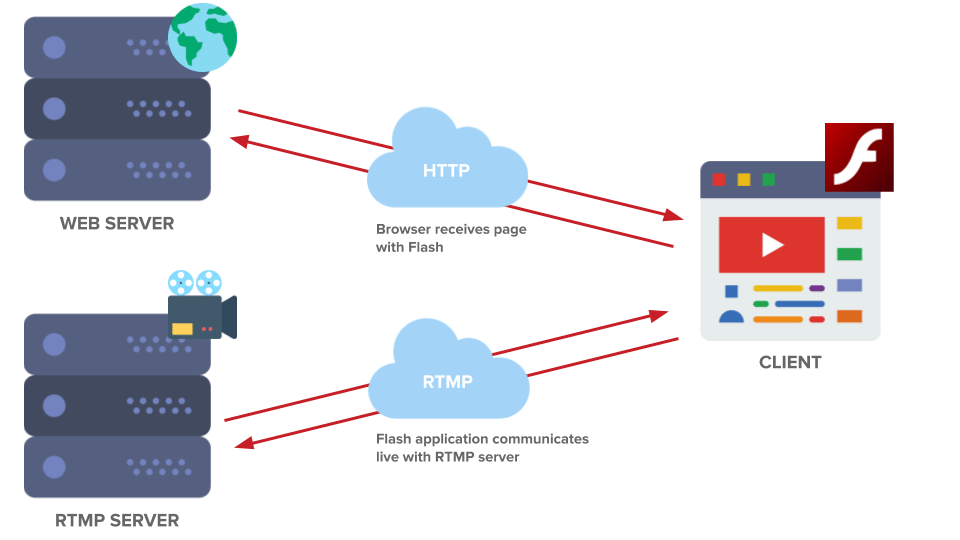
RTMP has been the standard for live streaming for years, known for its low-latency communication capabilities which make it ideal for interactive applications such as live sports, concerts, and gaming. However, RTMP’s reliance on Flash player for playback on browsers has become a limitation due to the declining support for Flash.
HLS, on the other hand, was developed by Apple as a part of its iPhone software package and has gained immense popularity. It works by breaking the live stream into a sequence of small HTTP-based file downloads, each containing one short chunk of an overall potentially unbounded transport stream. As a result, HLS is highly compatible with a wide range of devices including desktops, mobile phones, and smart TVs.
Why Migrate from RTMP to HLS?
**1. Compatibility and Reach: HLS is universally supported across all modern browsers and devices without the need for additional plugins or players, unlike RTMP which requires Flash.
**2. Adaptive Bitrate Streaming: HLS supports adaptive bitrate streaming, which adjusts the video quality in real-time based on the viewer’s bandwidth, ensuring a smooth viewing experience.
**3. Improved Security: HLS provides enhanced security features, such as tokenized access and encryption, which protect the stream from unauthorized access and piracy.
**4. Better Buffering: HLS streams are less prone to buffering issues, making them more resilient over fluctuating network conditions.
How to Convert RTMP to HLS
Converting RTMP streams to HLS involves a process called transcoding, which can be implemented using various software solutions and services. Here’s a general overview:
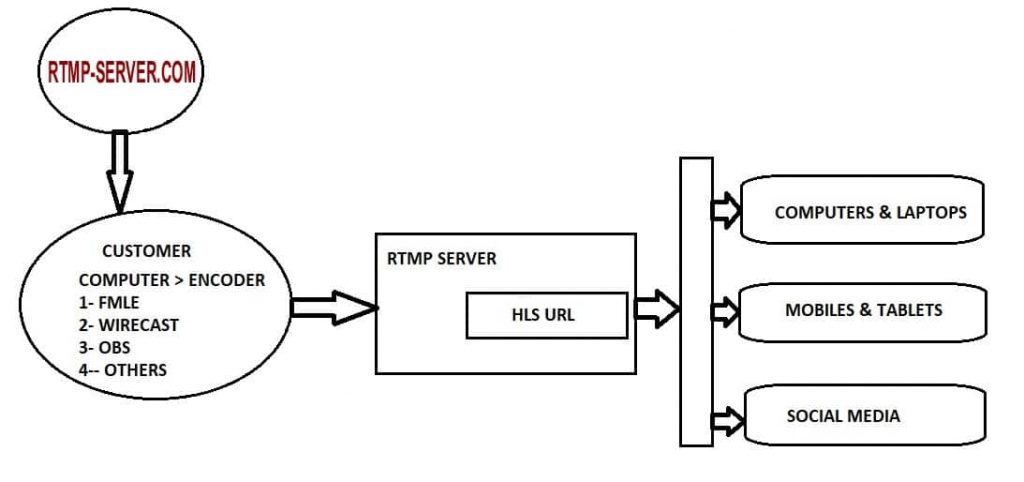
1. Capture and Send: The live video feed is captured from the source and sent to a media server using RTMP.
2. Transcode: The media server transcodes the RTMP stream into HLS format. This involves re-encoding the video to fit HLS specifications and splitting it into short, downloadable segments.
3. Distribute: The HLS segments are then made available on a web server where they can be requested over HTTP by an HLS-compatible player.
4. Play: The end-user’s device requests these segments from the server, and the player reassembles the segments to play the stream almost in real time.
Tools and Technologies for RTMP to HLS Conversion
Several technologies facilitate the RTMP to HLS conversion, including:
- Media Servers: Solutions like Wowza Streaming Engine, Red5 Pro, and Nimble Streamer can ingest RTMP feeds and convert them to HLS for delivery.
- Cloud Services: Cloud-based platforms such as AWS MediaLive offer managed services to handle live stream transcoding from RTMP to HLS seamlessly.
- Software Encoders: Software like OBS Studio can be configured to output HLS directly, although it might still require a server to manage the playlist and segment files.
Challenges and Considerations
While converting RTMP to HLS offers numerous benefits, it comes with its own set of challenges:
- Latency: HLS inherently has higher latency than RTMP, which might be an issue for ultra-low-latency applications.
- Resource Intensity: Transcoding from RTMP to HLS is computationally intensive and requires robust server capabilities, especially for high-resolution streams.
- Cost: Running media servers or using cloud services for transcoding can lead to higher operational costs.
Conclusion
The transition from RTMP to HLS is an essential move for broadcasters aiming to reach a broader audience with enhanced viewing experiences. Although there are challenges in adapting to this new standard, the long-term benefits in terms of compatibility, user experience, and scalability make HLS an indispensable format in today’s streaming landscape. By understanding the technologies and strategies involved in this conversion, content providers can ensure they are well-equipped to meet the demands of modern viewers.